



Seeed Studio E-Paper Driver Board for Seeed Studio XIAO
📦 Location of the warehouse: China
Free Shipping from $50 in the US, $70 for non-continental US
- US Delivery Time: 2~7 Business days.
- Non-Continental US Delivery Time: 3~9 working days.
- Pre-Ordering: If an item is unavailable, you can pre-order it. We'll dispatch once stock is replenished, usually within 10 working days. Special pre-sale products will specify the expected arrival time in the description.
- Express Shipping: Need it faster? Contact us via email or through our live chat support, and we'll arrange expedited delivery for you.
Seeed Studio E-Paper Driver Board for Seeed Studio XIAO
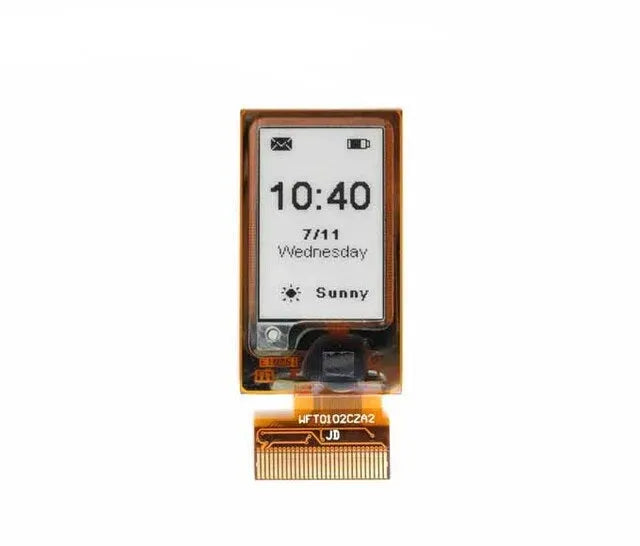
Seeed Studio E-Paper driver board features a 24-pin FPC connector, built-in charging IC for efficient and safe battery charging, and a JST 2-pin BAT connector for easy battery connection. Ideal for creating WiFi-enabled digital photo frames.
Feature
- Built-in Charging IC: Ensures efficient and safe battery charging.
- BAT Connector with Switch: Allows for easy battery connection and includes a switch to combine the battery and switch for more efficient energy saving.
- 24-Pin PFC Connector: Provides versatile connectivity options for various peripherals.
- Extension IO Port: Enables connection of additional sensors, such as temperature and humidity sensors, for enhanced functionality.
- Compatible with Seeed Studio XIAO Ecosystem: Seamlessly integrates with the XIAO series(Pre-Soldering Version) for versatile project development.
Hardware Overview

1 - 24-pin FPC Conncctor: For the ePaper interface.
2 - JST BAT Connector: For battery connection and switch.
3 - XIAO Socket: For connecting the Seeed Studio XIAO development board.
4 - IO Break out: For connecting Grove sensors or the others controller, such Arduino UNO or Raspberry Pi.
5 - Power switch: For battery power control.
Getting Started
To use the Seeed Studio XIAO eInk Expansion Board, we need to program the XIAO series. The table of different sizes E-paper supported by XIAO is as follows:
| E-paper / XIAO | XIAO SAMD21 | XIAO RP2040 | XIAO nRF52840 | XIAO ESP32-C3 | XIAO ESP32-S3 |
|---|---|---|---|---|---|
| 1.54-inch E-paper - Dotmatix 200x200 | ✅ | ✅ | ✅ | ✅ | ✅ |
| 2.13-inch E-Paper -Flexible Monochrome 212x104 | ✅ | ✅ | ✅ | ✅ | ✅ |
| 2.13-inch E-Paper - Quadruple 212x104 | ✅ | ✅ | ✅ | ✅ | ✅ |
| 2.9 inch E-paper - Monocolor 128x296 | ✅ | ✅ | ✅ | ✅ | ✅ |
| 2.9-inch e-paper - Quadruple color 128x296 | ✅ | ✅ | ✅ | ✅ | ✅ |
| 4.2-inch E-Paper - Monocolor 400x300 | ✅ | ✅ | ✅ | ✅ | ✅ |
| 4.26-inch E-Paper - Monocolor 800x480 | RAM overflowed | ✅ | ✅ | ✅ | ✅ |
| 5.65-inch E-paper - Sevencolor 600x480 | FLASH overflowd | ✅ | ✅ | ✅ | ✅ |
| 5.83-inch E-paper - Monocolor 648x480 | ✅ | ✅ | ✅ | ✅ | ✅ |
| 7.5-inch E-paper - Monocolor 800x480 | RAM overflowed | ✅ | ✅ | ✅ | ✅ |
| 7.5-inch E-paper - Tri-Color 800x480 | RAM overflowed | ✅ | ✅ | ✅ | ✅ |
STEP 2
Insert the XIAO into the XIAO Socket: Align the pins and gently insert your XIAO into the XIAO socket on the board.

STEP 3
Insert the eInk into the FPC Connector: Carefully slide your E-paper into the 24-pin FPC connector on the ePaper Breakout Board.

Using the Seeed_Arduino_LCD Library
Download The Seeed Arduino LCD Library


Specification
|
ePaper Connector |
FPC 24 Pin 0.5mm Top Contact |
|
Battery Charge IC |
ETA9740 |
|
Battery Connector |
JST 2.0mm |
|
Switch |
Battery Power ON/OFF |
|
Female Header |
7 Pin 2.54mm Connecting to MCUs like Seeed Studio XIAO |
|
Power Supply |
● 3.7V Li-Battery ● Seeed Studio XIAO |
EPaper Selection Guide
| Product | Name | Resolution | Display Color | Partial Refresh |
 |
|
200x200 |
 |
√ |
 |
|
122x250 |
|
√ |
 |
|
122x250 |
 |
|
 |
|
212x104 |
|
√ |
 |
|
296x128 |
|
√ |
 |
|
128x296 |
|
|
 |
|
400x300 |
|
√ |
 |
|
648x480 |
|
√ |
 |
|
600x448 |
 |
|
 |
|
800x480 |
|
√ |
Application
- Smart Home Dashboard: Display real-time information such as weather updates, calendar events, and notifications from various smart home devices.
- Energy Monitoring: Show energy consumption data from smart meters, helping homeowners track and manage their energy usage more efficiently.
- Security Alerts: Display alerts and notifications about security events, such as motion detection or door/window sensor activation.
- Smart Thermostat Display: Show temperature and humidity levels, as well as control settings for your smart thermostat.
- Digital Photo Frame: Create a WiFi-enabled digital photo frame that can display images from your smart home network.
Part List
|
ePaper Driver Board |
×1 |
Image Extraction Software
Here I'm using a 7.5-inch e-inked screen for the test
How to Make Picture
This URL provides a very convenient image extraction operation, which can easily help us realize displaying a variety of images on top of the e-ink screen, let's get started!

Step 1.Select image
First pick the image you want, try not to exceed the size of 800*480.
Step 2.Image Settings
-
Canvas Size(s)
- Canvas Size: Set the dimensions of the canvas. For example, 800 x 480 pixels means the canvas width is 800 pixels and the height is 480 pixels.
-
Background Color
-
Background Color: Choose the background color of the canvas. Options include:
-
White: White background
-
Black: Black background
-
-
Transparent: Transparent background
- Invert Image Color
- Invert Image Color: This option is used to invert the colors of the image. When selected, the colors of the image will be reversed.
-
Brightness / Alpha Threshold
- Brightness / Alpha Threshold: Set the brightness value of the pixels, ranging from 0 to 255. Higher values make the pixels brighter; pixels below this value will turn black.
-
Scaling
- Scaling: Choose the scaling method for the image. Options include:
-
Original size: Maintain the original size
- Other scaling options (specific options may need further explanation)
-
Center
- Center: Choose whether to center the image on the canvas. Note: This option only works if the image is larger than the original size.
Step 3.Preview
Once the settings are complete, you can see a preview of how your image will appear here
Step 4.Output
- Copy the converted code

- Replace the image code in this header file

Display Effect

Usage of the Image2lcd software
How to Make Picture
Use the build-in software Paint in Windows to create a picture with the same resolution as the screen you are using, and save it asBMP or JPG file;
Your picture resolution must be the same as the screen you are using, for example, 4.2-inch E-paper is 400 x 300 pixels, then you can not use the size of 300 x 400, it will cause the iamge2lcd output .h file with an extra 200 bytes.
The colors of the picture should be consistent with the standard colors of the drawing board that come with Windows.The color of the drawing board is as follows:
| E-paper | Colors |
|---|---|
| 1.54-inch E-paper - Dotmatix 200x200 | pure black and white |
| 2.13-inch E-Paper -Flexible Monochrome 212x104 | pure black and white |
| 2.13-inch E-Paper - Quadruple 212x104 | black, white, red, and yellow |
| 2.9 inch E-paper - Monocolor 128x296 | pure black and white |
| 2.9-inch e-paper - Quadruple color 128x296 | black, white, red, and yellow |
| 4.2-inch E-Paper - Monocolor 400x300 | pure black and white |
| 4.26-inch E-Paper - Monocolor 800x480 | pure black and white |
| 5.65-inch E-paper - Sevencolor 600x480 | black, white, red, yellow, blue, green, orange |
| 5.83-inch E-paper - Monocolor 648x480 | pure black and white |
| 7.5-inch E-paper - Monocolor 800x480 | pure black and white |
| 7.5-inch E-paper - Tri-Color 800x480 | pure black and white |
Bitmap Conversion
Step 1. Open Image2lcd.7z, extract it and open the application.

Step 2. Open the picture, select the "Output file type" as the "C array (*.c)", select the "Scan mode" as the "Horizon Scan", the other parameters setting is show in follows:
| Epaper | BitPixl | Max Width and Height | Reverse color | Display mode |
|---|---|---|---|---|
| 1.54-inch E-paper - Dotmatix 200x200 | Monochrome | 200x200 | ✅ | Mirror left-right |
| 2.13-inch E-Paper -Flexible Monochrome 212x104 | Monochrome | 104x212 | ✅ | Normal |
| 2.13-inch E-Paper - Quadruple 212x104 | 4 Gray | 104x212 | / | Normal |
| 2.9 inch E-paper - Monocolor 128x296 | Monochrome | 128x296 | ✅ | Normal |
| 2.9-inch e-paper - Quadruple color 128x296 | 4 Gray | 128x296 | / | Normal |
| 4.2-inch E-Paper - Monocolor 400x300 | Monochrome | 400x300 | ✅ | Mirror left-right |
| 4.26-inch E-Paper - Monocolor 800x480 | Monochrome | 800x480 | / | Mirror left-right |
| 5.65-inch E-paper - Sevencolor 600x480 | 256 colors | 600x448 | / | Normal |
| 5.83-inch E-paper - Monocolor 648x480 | Monochrome | 600x480 | ✅ | Mirror left-right |
| 7.5-inch E-paper - Monocolor 800x480 | Monochrome | 800x480 | ✅ | Mirror left-right |
| 7.5-inch E-paper - Tri-Color 800x480 | Monochrome | 800x480 | / | Normal |
- After set the Max Width and Height, it need to click the arrow to confirm.
- Don't include head data.

Step 3. Click "Save" to save the the lcd output array as a file of .h.

Resources
1. General Shipping Information
- We provide premium shipping methods with a tracking number for each order.
-
Shipping address should be input in English without any special symbols to help the courier company recognize your address in the system. We will ship according to the shipping address you provided. Please notify us of any address change before your order is marked "Shipped" to avoid parcel loss.
-
Please contact our customer service staff immediately if you need to cancel or change an order. Once your order has reached "Shipped" status, it can no longer be canceled or changed in any way. To avoid complications, please recheck your shopping cart before checkout.
-
We can ship all in-stock orders within 1 business day as your order has been confirmed.
-
All items are inspected before dispatch and are carefully hand-packed.
-
With standard courier practice, you need to check the contents of the parcel before signing for your goods. Otherwise, we will not be held responsible for any damage that may have occurred in transit.
2. Shipping Options & Rates (United States)
(For Products in the US Warehouse & Global Warehouse)
2.1 Continental U.S. (50 States)
| Shipping Method | Order Value | Cost | Est. Delivery |
|---|---|---|---|
| USPS Ground Advantage | $0.00 - $5.00 | $9.99 | 3-7 Business Days |
| USPS Ground Advantage | $5.00 - $50.00 | $5.99 | 3-7 Business Days |
| USPS Ground Advantage | Over $50.00 | Free | 3-7 Business Days |
|
USPS Priority Mail (Faster Option) |
$0.00 - $50.00 | $19.99 | 1-4 Business Days |
| USPS Priority Mail | Over $50.00 | $17.59 | 1-4 Business Days |
2.2 Non-Continental U.S.
(Includes Alaska, Hawaii, Puerto Rico, Guam, Virgin Islands, etc.)
| Shipping Method | Order Value | Cost | Est. Delivery |
|---|---|---|---|
| USPS Ground Advantage | $0.00 - $5.00 | $9.99 | 5-9 Business Days |
| USPS Ground Advantage | $5.00 - $70.00 | $7.99 | 5-9 Business Days |
| USPS Ground Advantage | Over $70.00 | Free | 5-9 Business Days |
Important Notice:
- Before placing your order, please check the inventory location on the product page to confirm the delivery timeframes.
- For products stored in the Global Warehouse (Shenzhen), we will ship them directly from China.
- If you place an order for products from both the U.S. warehouse and the Global warehouse, we will ship your order separately: the products from the Global warehouse will be sent from China, and the products from the U.S. warehouse will be sent from the U.S. warehouse.
3. Warehouse Locations
Our products are stored in both our U.S. and Global warehouses to provide more flexible logistics solutions. On each product's description page, we indicate the specific warehouse location.
3.1 U.S. Warehouse
For products stored here, we use USPS for shipping. Logistics within U.S. are very efficient, with an estimated delivery time of 3-7 business days.
3.2 Global Warehouse (China)
Located in Shenzhen, Guangdong.
For orders shipping from our Global Warehouse, we typically use YunExpress. Given the complexities of international shipping, the estimated delivery time is around 10 business days, though this may vary due to customs processes.
4. Customs and Taxes
Effective Date: December 10, 2025
At OpenELAB, we are committed to providing accurate product descriptions and high-quality electronics. The following policy outlines your rights and obligations, designed to be fair to both our customers and our business operations globally.
1. Warranty Policy
A. Standard Limited Warranty (Global & US)
For customers in the United States, Asia, and other non-EU regions:
-
Warranty Period: OpenELAB provides a 12-month warranty from the date of delivery.
-
Coverage: This warranty covers defects in material and workmanship under normal use.
-
Resolution: We will repair or replace defective units at no charge.
B. Statutory Rights for EU/UK Customers (EU Compliance)
If you are a consumer residing in the European Union or the UK purchasing from our global site:
-
Statutory Guarantee: You are entitled to a 24-month statutory guarantee for conformity defects present at the time of delivery, in accordance with EU consumer protection laws.
-
Relation: The Standard Limited Warranty (Section 1.A) applies in addition to, and does not replace, your statutory rights.
C. Warranty Exclusions (Applies to ALL Regions)
Warranty coverage is VOID if the damage is caused by:
-
Misuse: Incorrect installation, reverse polarity, or exceeding voltage limits.
-
Unauthorized Modification: This explicitly includes soldering, cutting pins, modifying the PCB, or flashing unauthorized/beta firmware that "bricks" the device.
-
Physical Damage: Drops, moisture/water damage, or electrical surges (lightning).
-
Normal Wear & Tear: Consumable parts (e.g., batteries), unless defective upon arrival.
Note: For non-warranty repairs (e.g., customer-induced damage), we may offer repair services for a fee. Shipping and diagnostic costs will be borne by the customer.
2. Return & Refund Policy
A. Return Window
-
Standard: You may request a return within 30 days of receiving your order.
-
EU Customers: You have the statutory right to withdraw from the contract within 14 days of receipt without giving a reason.
B. Refund Conditions & Restocking Fees
To protect against policy abuse, the refund amount is strictly determined by the condition of the returned item.
1. Full Refund (100%)
-
The item is Brand New, Unopened, and Unused.
-
The original packaging is intact and sealed.
-
All accessories are present.
2. Partial Refund (Restocking Fee / Value Depreciation)
If the item is returned in a condition that prevents it from being sold as new, OpenELAB reserves the right to deduct a Restocking Fee (or "Compensation for Loss of Value" for EU customers) from the refund.
Deductions apply if:
-
Signs of Use: Visible scratches, mounting marks on screw holes, or fingerprints.
-
Damaged Packaging: Original box is torn, written on, or missing.
-
Technical Modification: The device has been powered on, programmed/flashed, or soldered.
-
Broken Seals: Anti-static bags or security seals have been opened.
Depending on the severity of the usage/damage, the deduction may range from 15% to 50% of the product price. Items damaged beyond repair due to misuse will not be refunded.
C. Shipping Costs
-
Defective / Wrong Item: OpenELAB covers the return shipping cost.
-
Customer Remorse (Changed Mind / Ordered Wrong Item): The customer is responsible for all return shipping costs to our designated return center (located in the US, Germany, or China, depending on your region). Original shipping fees are non-refundable unless required by local law.
3. Return Process (RMA)
To ensure a smooth return process, please follow these steps:
-
Authorization: Contact us at info@openelab.io before returning any item. Returns without prior authorization will not be accepted.
-
RMA Number: We will provide you with a Return Merchandise Authorization (RMA) number and the correct return address.
-
Packing: Ship the item back in its original packaging with the RMA number clearly marked on the shipping label (not on the product box).
-
Tracking: We strongly recommend using a trackable shipping method. OpenELAB is not responsible for returns lost in transit.


